Login and Create Wallet
KiKo supports multiple login methods: Google, Farcaster, Email, and Twitter (X).KiKo uses Privy for wallet creation and key management. After logging in, a dedicated non-custodial wallet will be automatically generated for you.Your account includes two wallet types:
Your wallet always belongs to you. Privy provides HSM-level encryption for private keys. Even if KiKo stops providing services, your wallet remains secure on Privy’s servers and cannot be lost. You can export your private key at any time:
- Export from the KiKo Settings page.
- Visit the Privy Website to access and export via linked apps.
| Network | Description |
|---|---|
| EVM | Supports Base, Ethereum, and other EVM-compatible chains. |
| Solana | A separate Solana wallet address. |
Fund Your Wallet
Top up your wallet to start trading. We recommend using the Base network for its extremely low gas fees.
You can fund your wallet via exchange withdrawals, cross-chain bridges, or direct purchases. If you have questions, just tell KiKo in the chat, and the AI will guide you through the process.
| Network | Minimum Recommended Balance |
|---|---|
| Base / Ethereum | Small amount of ETH for gas |
| Solana | At least 0.005 SOL for fees |
Let AI Guide Your Setup
Once ready, simply talk to the AI in the chat. It will guide you through all personalized configurations, including:
- User Preferences: Slippage, gas priority, default chain, etc.
- Copy Trading Settings: Target addresses, amount limits, filters.
- Price Alerts: Set target prices for automatic notifications.
- Authorize Auto-Trading: Enable the Agent to execute trades automatically under specific conditions.
- Polymarket: Enable and participate in on-chain prediction markets.
For example: Simply say “Help me set up copy trading” or “Set an alert for ETH price”, and the AI will guide you step-by-step.
What You Can Do
Research
Query market information, wallet data, or on-chain status using natural language.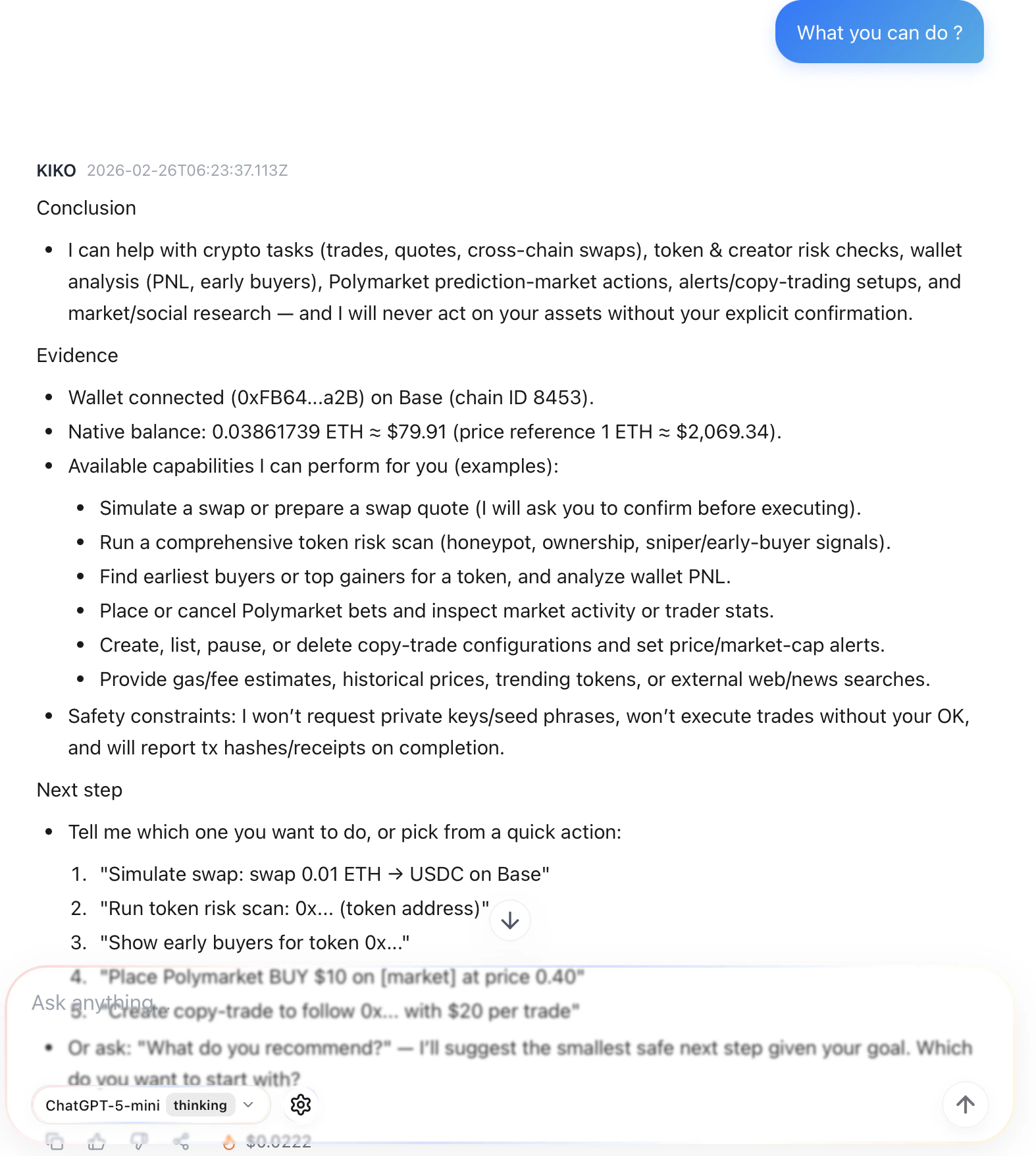
Swap Trading
Describe your trading intent directly, and the AI will handle routing and execution.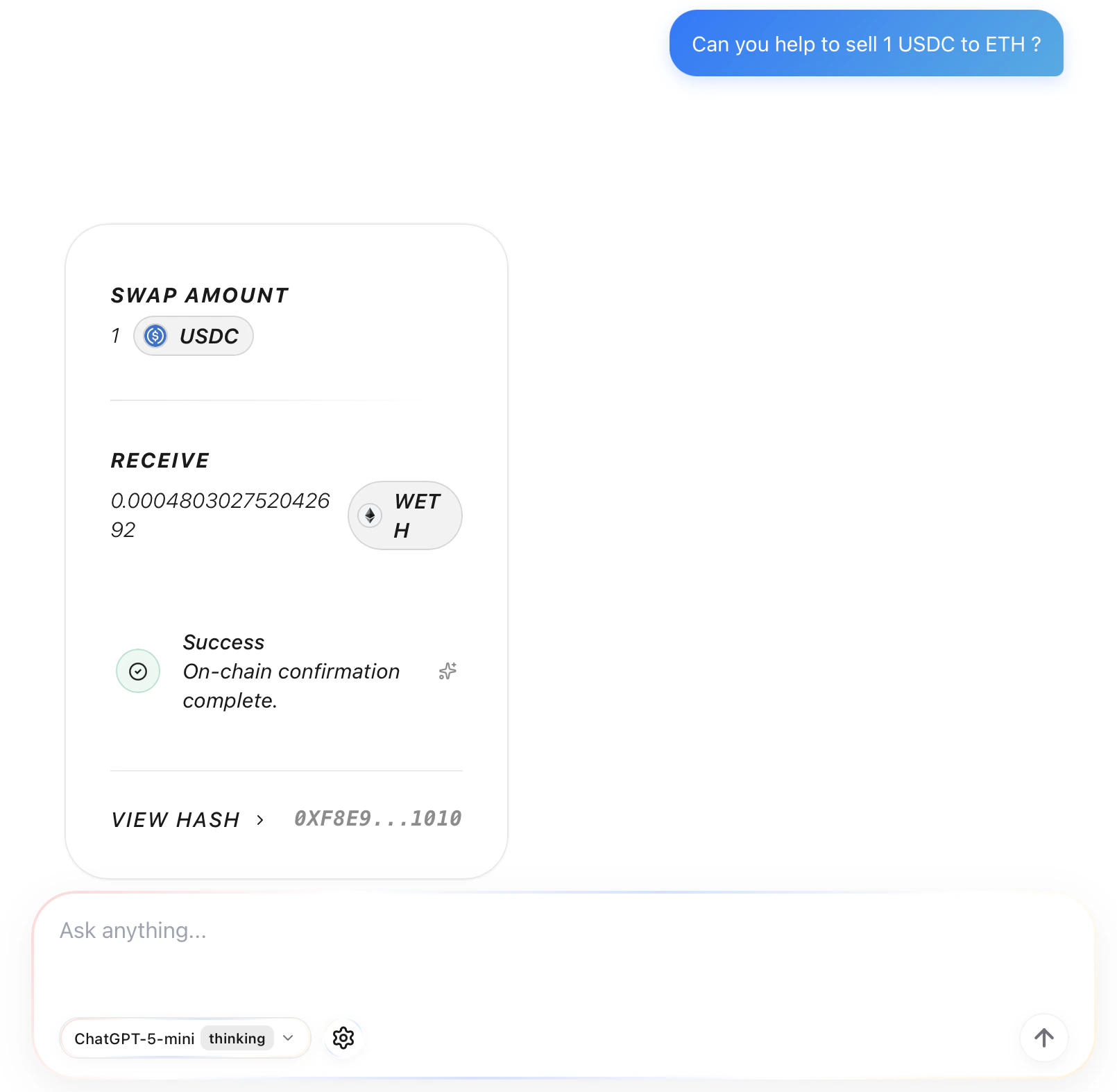
Risk Scanning
Scan token contract security before buying to identify honeypots, rugs, and other traps.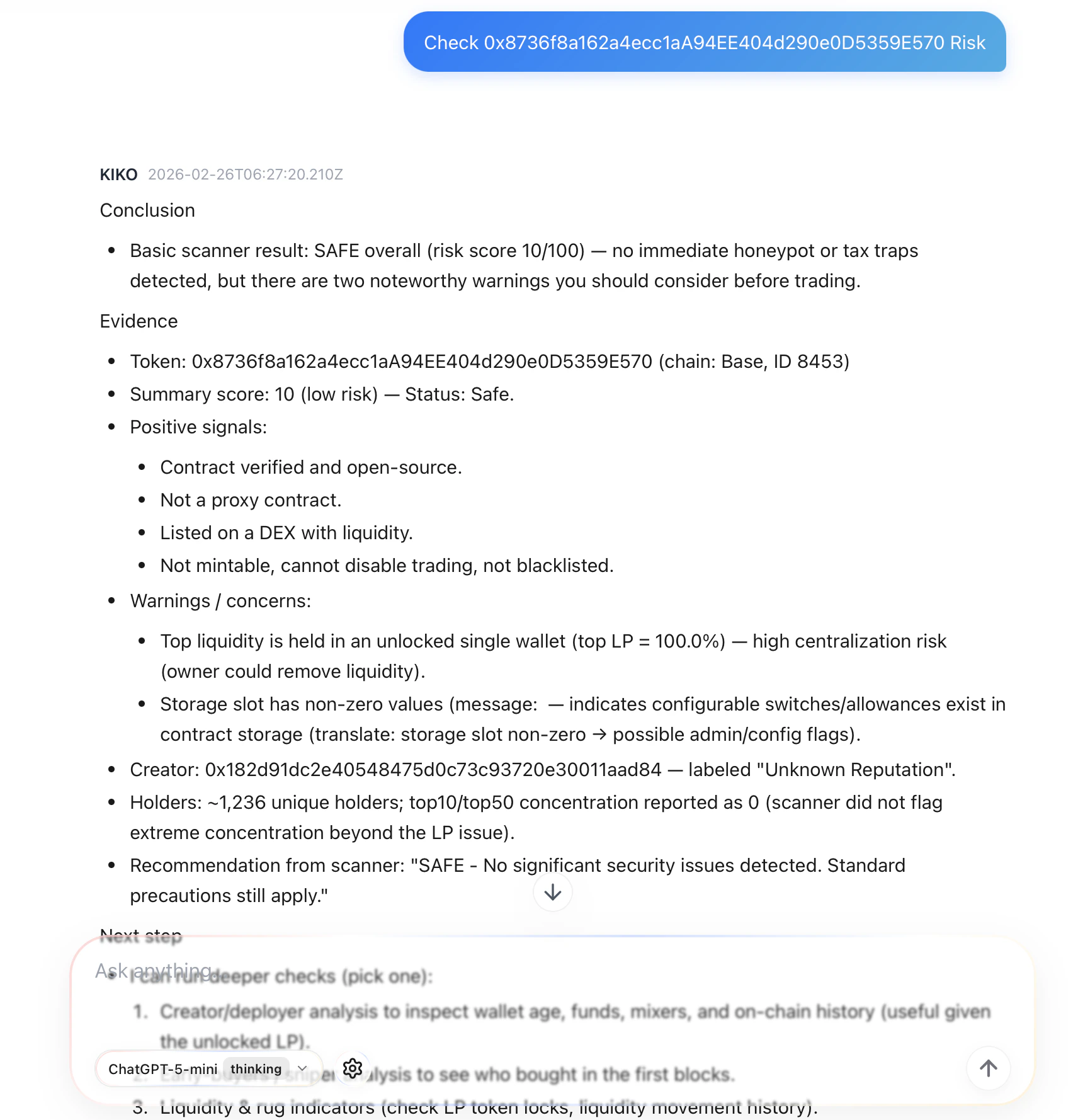
Copy Trading
Automatically mirror the on-chain trading behavior of specified wallets.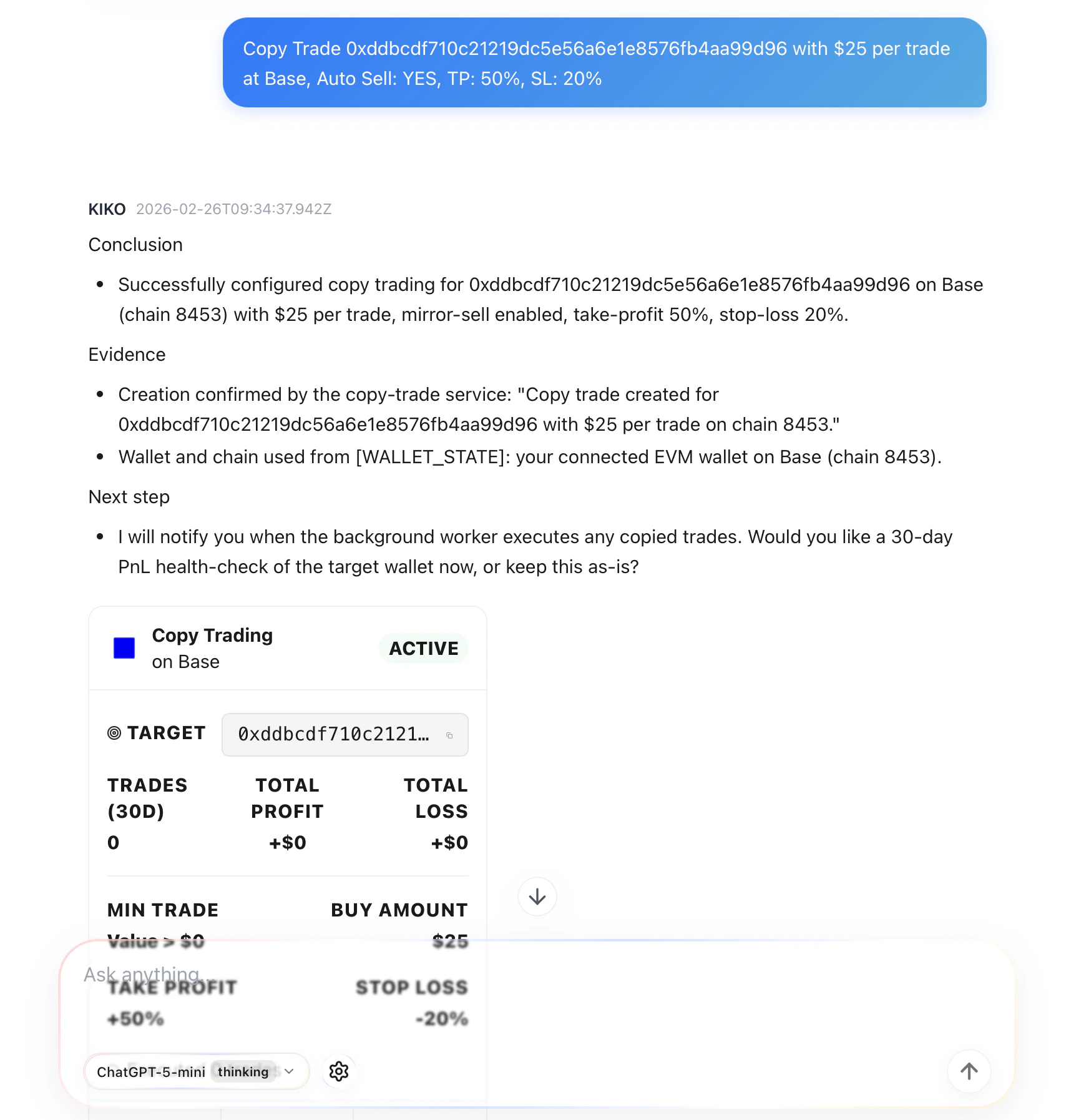
For detailed feature guides, see Swap Trading · Copy Trading · Risk Scanning · Market Intelligence